
Monster Walk FAQ
Note: Please only use official links, double check before clicking links, and beware of scams!
What should I know before playing?
Monster Walk is a walking RPG. You don't need to be walking or to enable GPS in order to play the game, but we will need access to the native steps tracking that happens on your phone.
For the best experience:
Enable health permissions so the game can track your steps.
Android users: connect Google Fit to Health Connect
How do I get Monster Walk?
Download Monster Walk directly from the App Store and Google Play. You'll also want to join our official Discord to connect with the community and get the latest updates.
How much does it cost to play?
Monster Walk is free to download and free to play. You never need to spend money to progress. There are optional in-game purchases but the full core adventure is available to everyone.
How does playing the game work?
Monster Walk turns your real-world steps into in-game progress.
As you walk, you'll clear the fog, save new monsters, and unlock new regions.
Monsters you meet will join your team and help you clear obstacles.
If combat is proving to be a challenge, use real-world steps to Chase monsters instead.
Who do I contact if I need support?
We're here to help! In the game, open the Settings Menu and select Support to email us directly with your game logs attached. You can join our official Discord and ask questions in #general. We're also available at help@talofagames.com.
How do I learn more about the game?
Follow us on X, Bluesky, TikTok, and YouTube for updates, events, and community spotlights. For the fastest replies and most active community, join our Discord. We also send big announcements to our newsletter.
Thanks for playing!
We're so excited to share Monster Walk with you. Thanks for being part of the journey. We can't wait to see where your walks take you!
Step Tracking FAQ
Having Trouble with Step Tracking?
We pull your steps from either Apple HealthKit for iOS or Health Connect and Google Fit for Android.
For Apple HealthKit, make sure in your Settings you've allowed Monster Walk: Step Adventure to read your Steps and that you have Motion Permissions allowed.
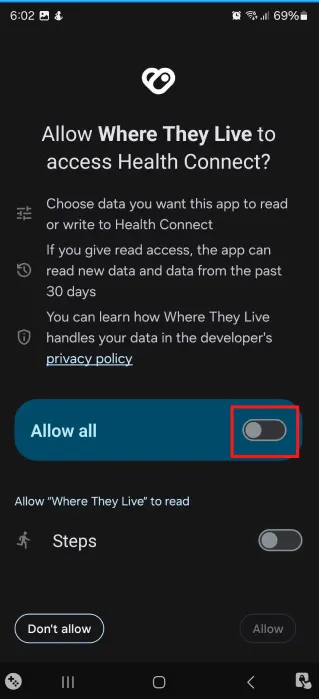
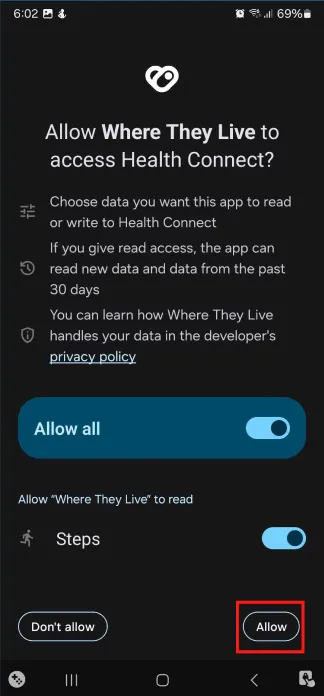
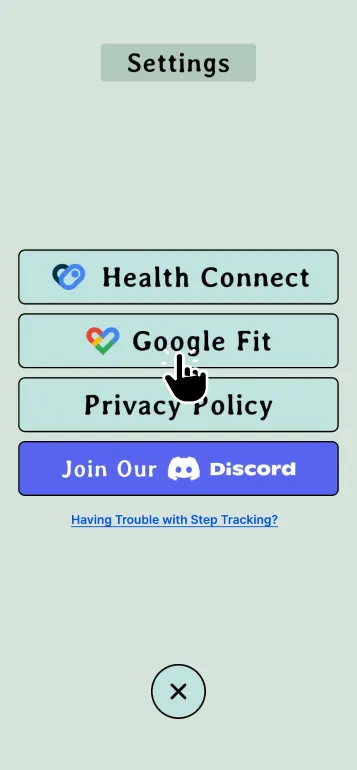
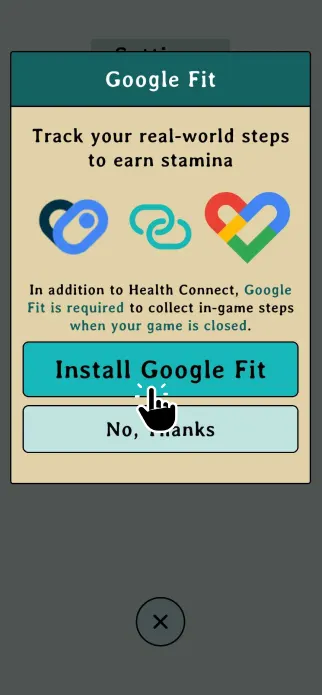
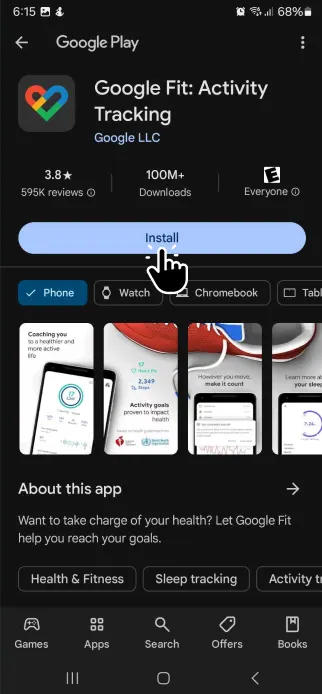
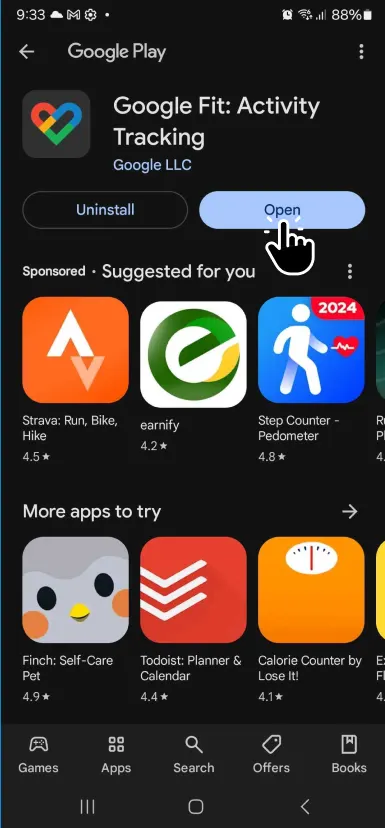
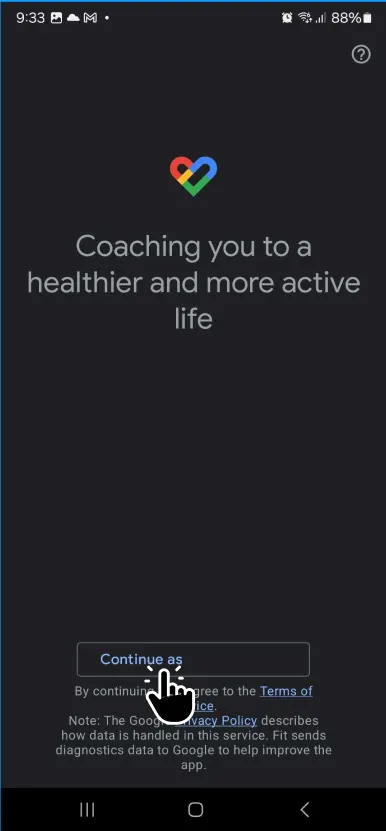
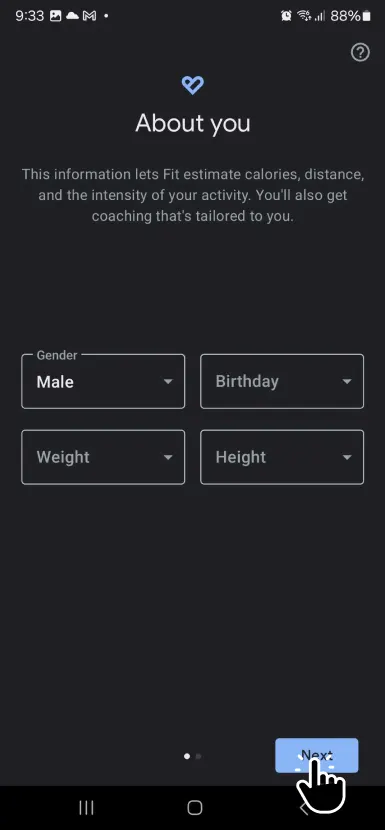
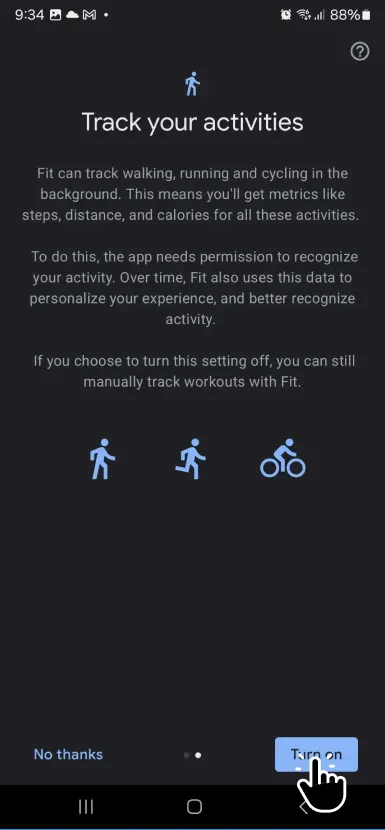
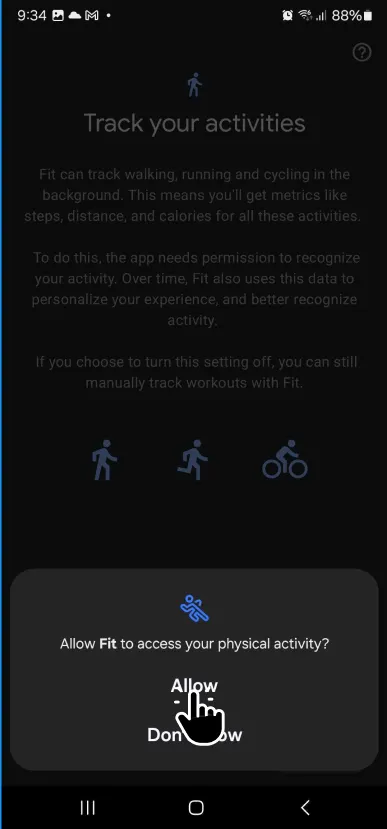
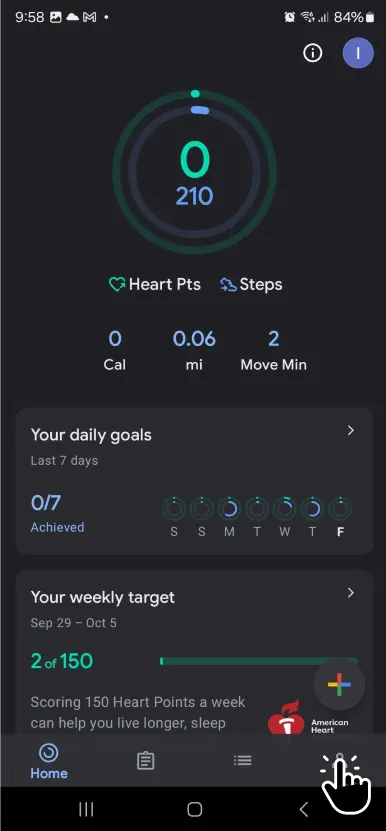
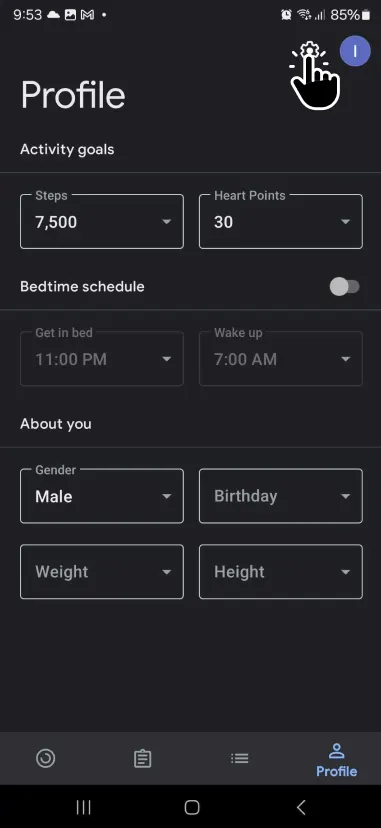
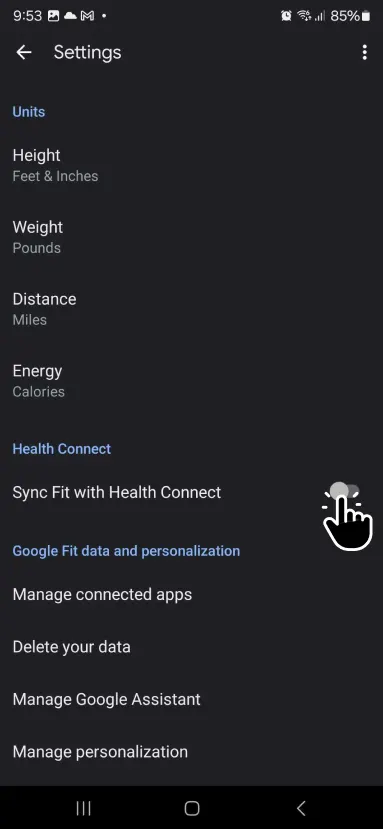
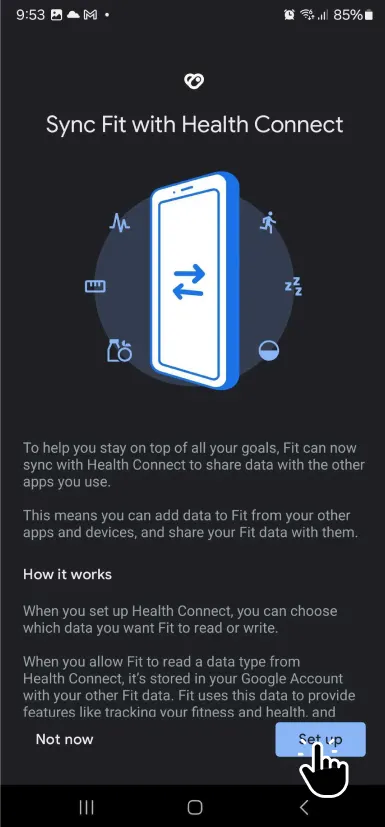
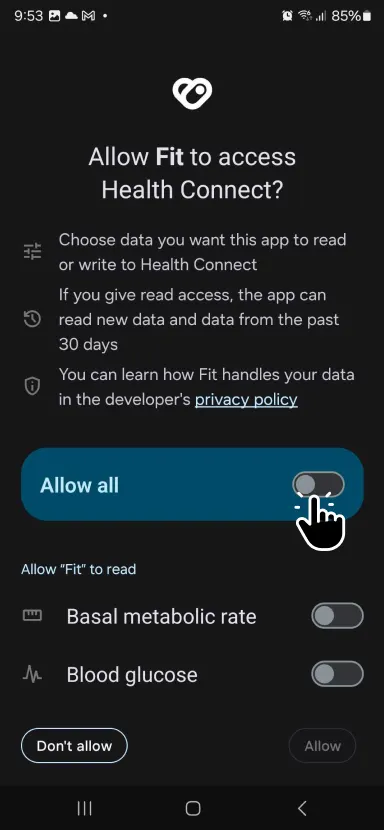
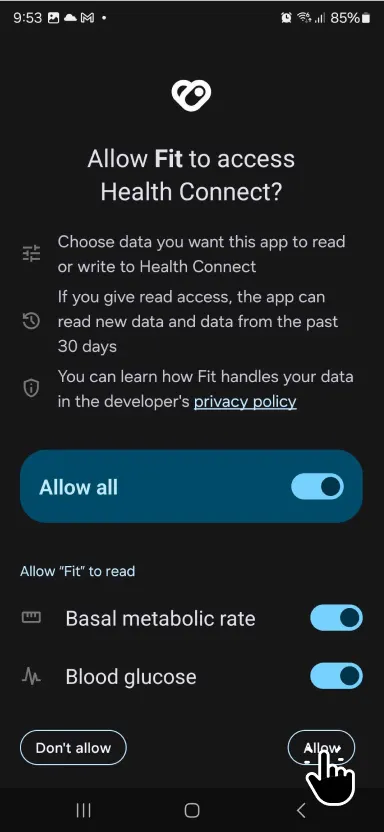
For Android, you'll need to have Health Connect and Google Fit installed. Each step is shown below (some of the screenshots are outdated but are still correct permissions wise), but if you have more questions, email us at help@talofagames.com.
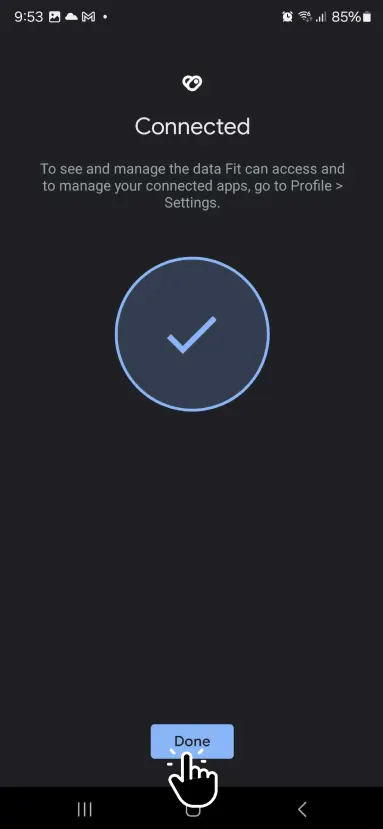
You're all set!
If you are still running into issues getting backgrounded steps to work, read this article from Google or please contact us through our Discord Community or email us at help@talofagames.com